
Refunds and chargebacks
Sometimes a fan wants his money back, or a payment is reversed by his bank. This guide follows a refund from start to end: in the chat, in your sales, and on your LanaChat balance.
Who refunds the fan #
Fans pay the creator or your agency, in Telegram Stars or through your payment links. LanaChat never holds fan money, so a refund is made where the payment was made:
- Telegram Stars: from the creator's bot or account that received the Stars, under Telegram's rules.
- Payment links (FanGate, Dropp Fans and others): with the provider, from your account there.
Chargebacks, disputes, refunds and provider holds are between your agency, the creator, the fan and the provider. LanaChat is not a party to them.
In the chat #
When a fan asks for a refund, Lana is paused on that conversation until a person on your team resumes her. In Live Convs:
- The conversation shows the grey badge AI stopped · Asked for a refund.
- Above the reply box, a banner says AI has stopped · Asked for a refund, with a Resume AI button.
- The switch at the top reads AI stopped · you are replying.
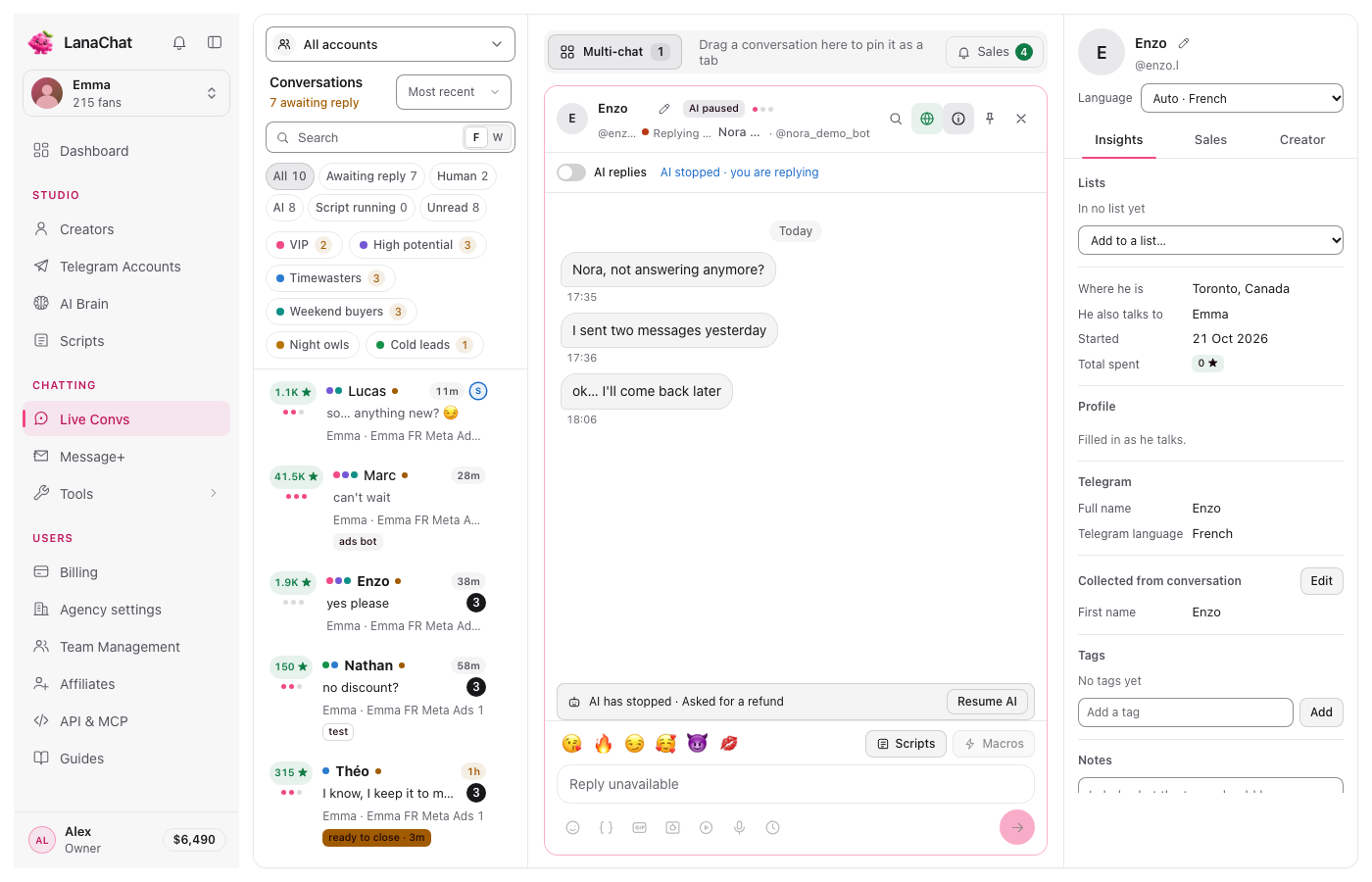
What to do:
- Read the conversation and decide with your agency's refund policy. Lana never decides a refund or a discount: only a person on your team can.
- Reply to the fan yourself from Live Convs.
- If you refund, do it with Telegram or the provider (see above).
- When the matter is closed and you want Lana back, press Resume AI. It needs the "Pause the AI on a conversation" permission (see Custom roles).
Tip Not sure Lana should talk to this fan again? Leave her stopped. The conversation stays with your team until someone presses Resume AI.
In your sales #
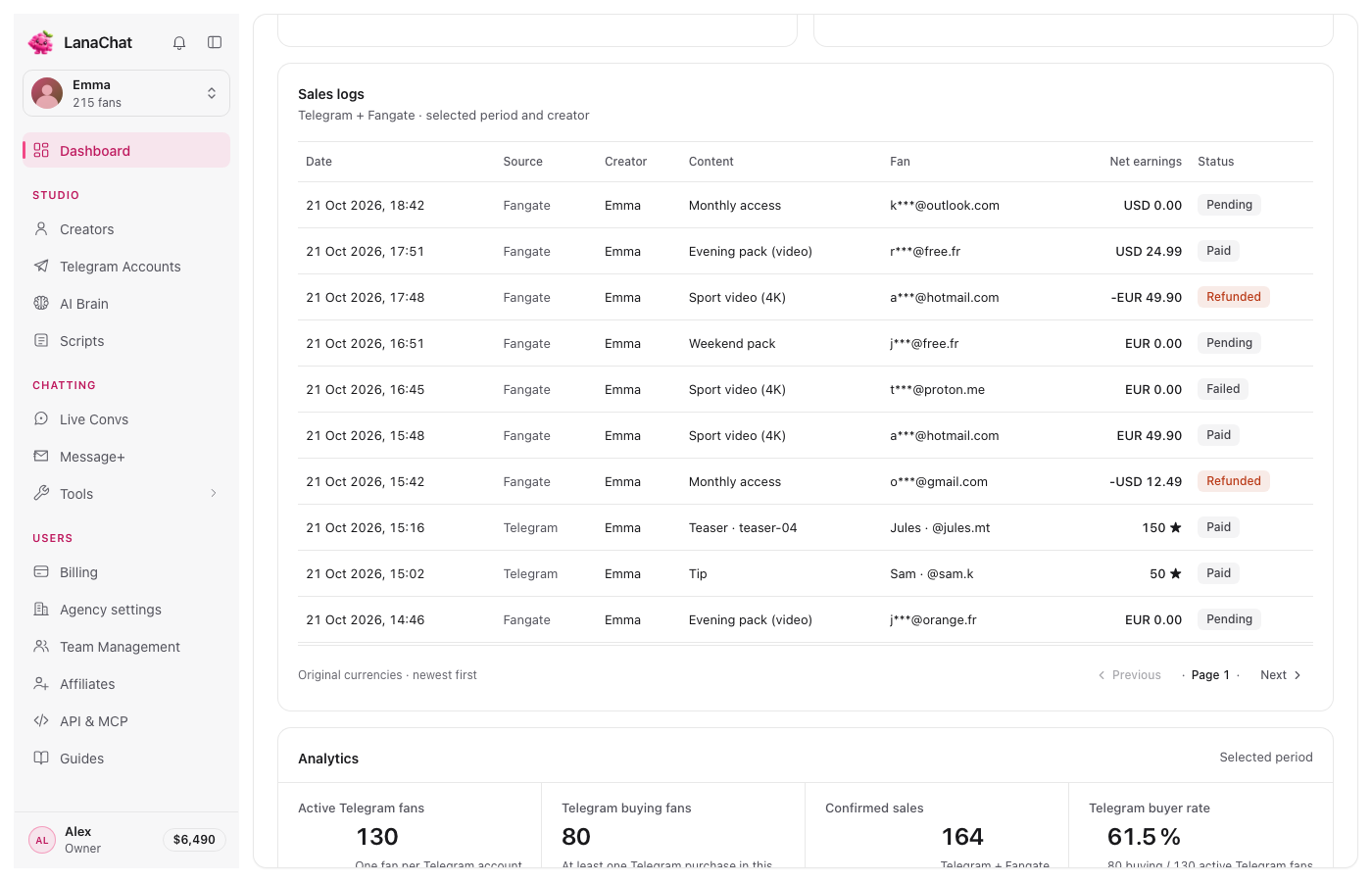
The refunded sale stays in your sales history with the status Refunded, in red, and a negative amount. Look in the Sales logs of the Dashboard, which list Telegram and FanGate sales with their status: Paid, Pending, Failed or Refunded. On payment links, refunds and the provider's reversal fees also lower your net earnings.
On your LanaChat balance #
LanaChat took its share when the sale was paid. What happens to that share depends on when the refund or reversal is confirmed:
- Within 7 days of the sale: the share taken on it comes back to your balance, at the rate it was charged, and your monthly counter goes down by the same net amount.
- After 7 days: the share stays.
Each refund is a line of type Refund in Billing, Activity, with "commission back" and "refund within 7 d", the net in negative and the share credited back in green. Filter with Refunds to see only them.
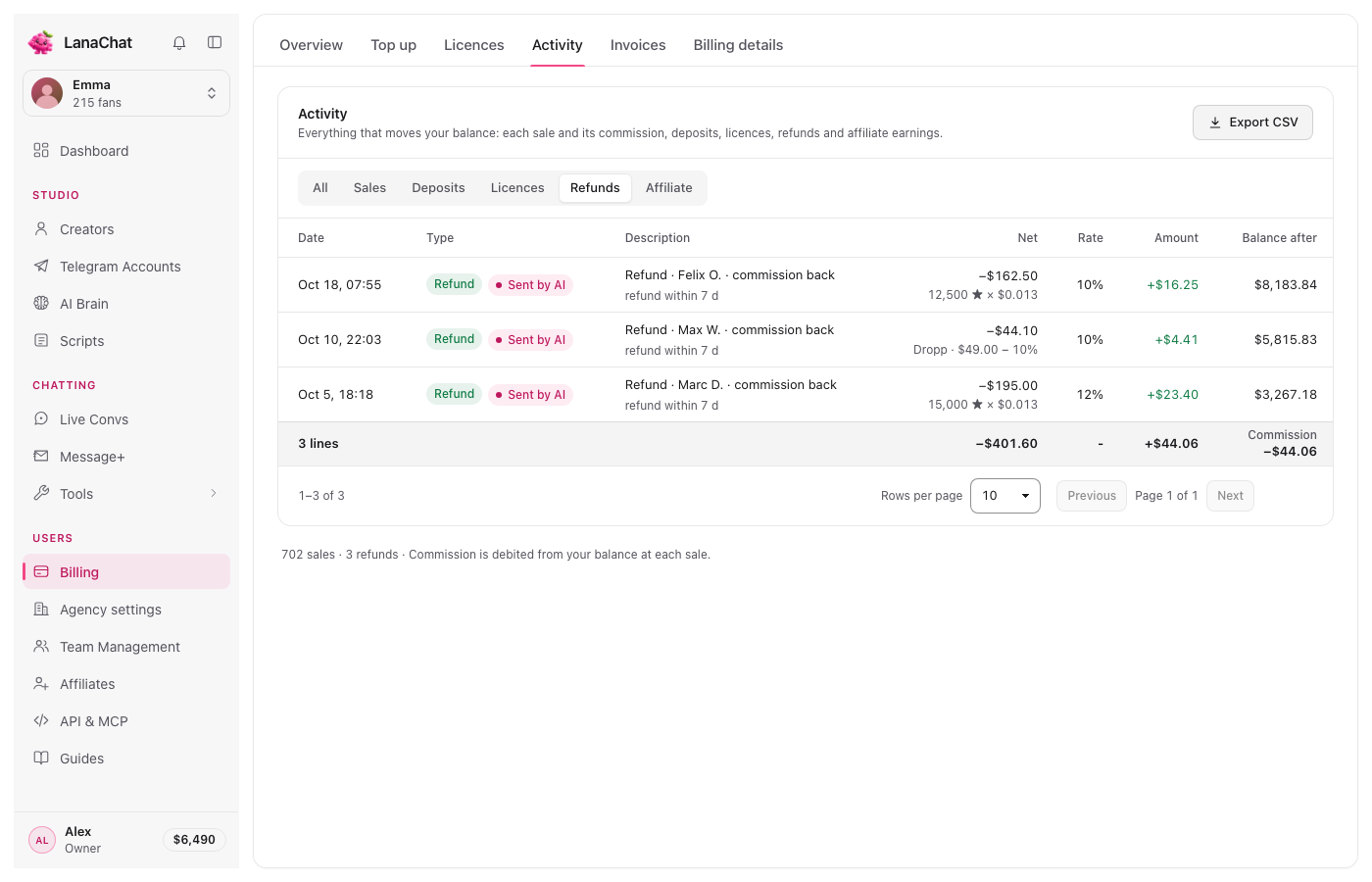
Note Example: Lana sold a 12,500 Star video, so $162.50 of net sales, while you were in the second tier (10%). LanaChat took $16.25. The fan is refunded 2 days later: $16.25 comes back to your balance and your monthly counter goes down by $162.50. Had the refund come on day 9, the $16.25 would have stayed.
Note Example on a payment link: a $49.00 Dropp Fans sale counts $44.10 net. Refunded within 7 days at 10%, $4.41 comes back to your balance.
Questions #
Does a refund cost me anything on LanaChat? #
No. LanaChat charges no fee on a refund. Within 7 days, you even get its share back.
Does it matter whether Lana or my team made the sale? #
Only for the rate: the share given back is the one that was taken, 12%, 10% or 8% for an AI sale, 4%, 3% or 2% for a manual sale. See AI sale or manual sale?.