
How fans pay: Telegram Stars and payment links
Fans pay for your creators' content in two ways: in Telegram Stars, right in the chat, or through your own payment links (FanGate, Dropp Fans and others) that Lana sends at the right moment. In both cases the money goes to the creator or your agency, never to LanaChat.
Telegram Stars #
- Lana sends a locked photo, video or pack with a price in Stars. The fan unlocks it in Telegram.
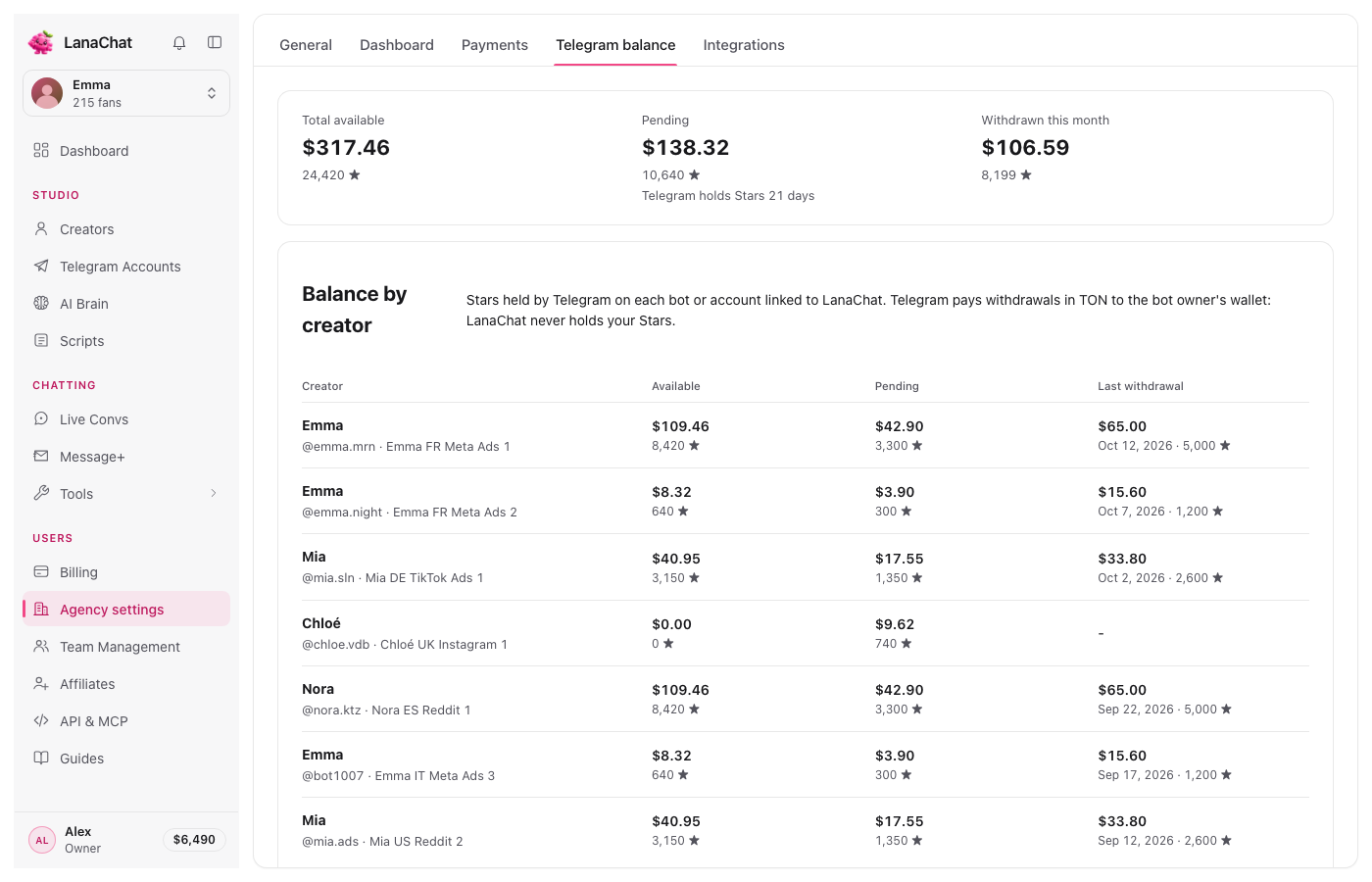
- The Stars land on the creator's bot or account. Telegram holds Stars for 21 days before they can be withdrawn.
- Withdrawals are paid by Telegram, in TON, to the bot owner's wallet. LanaChat never holds your Stars.
- For LanaChat's share, each Star counts $0.013 of net sales.
Follow the Stars in Agency settings, Telegram balance: Total available, Pending (the 21 days) and Withdrawn this month, then a Balance by creator table with each bot or account.
Payment links #
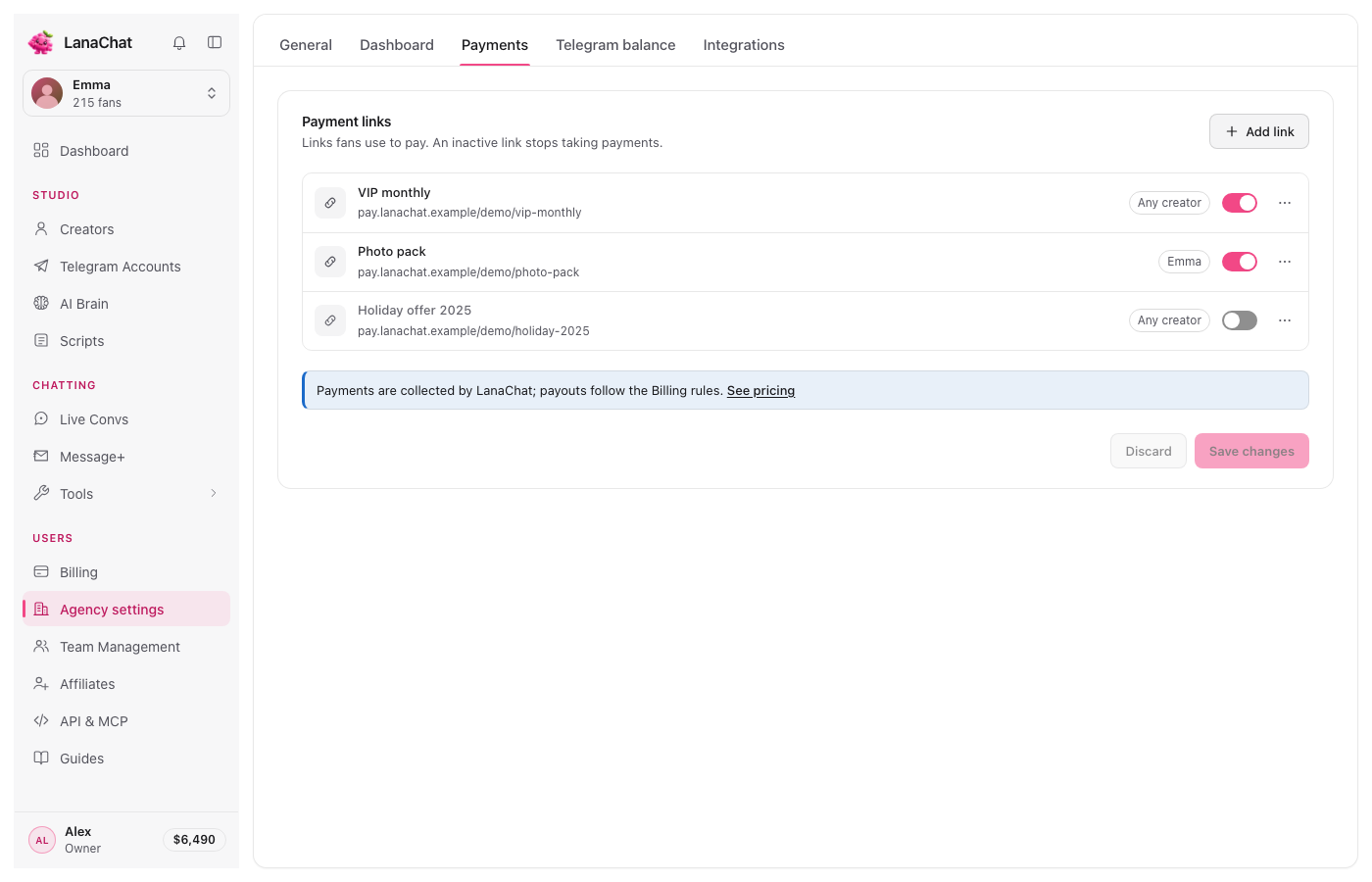
- Add your links in Agency settings, Payments: a label, the address, an optional creator, and a switch to turn a link off. Press Add link, then Save changes.
- Lana sends the link to the fan when the conversation is ready for it; your team can send it by hand from Live Convs.
- The provider collects the payment under its own terms, with its own fees and payout delays.
- For LanaChat's share, a link counts the amount it actually settled.
Stars or dollars on screen #
Each person can show amounts in Dollars or Stars from the account menu; Agency settings, General, Default display currency sets the choice for new team members. It changes how the Dashboard and fan amounts read (1 Star ≈ $0.013), never what you pay: Billing is always in US dollars.
Where the money shows #
- What fans paid: the Dashboard and the Sales log, in the original currency of each sale.
- What you pay LanaChat on those sales: LanaChat's share of your sales.
- When a fan is refunded: Refunds and chargebacks.
Prices are set per media in the Vault, and Lana never gives a discount. See Vault and the Vault and paid media feature page.