
Activity, statements and billing details
Every dollar that enters or leaves your LanaChat balance is written down. Three tabs of Billing keep the record: Activity (each movement), Invoices (one statement per month) and Billing details (what is printed on them).
Activity #
Activity lists everything that moves your balance: each sale and its commission, deposits, licences, refunds and affiliate earnings.
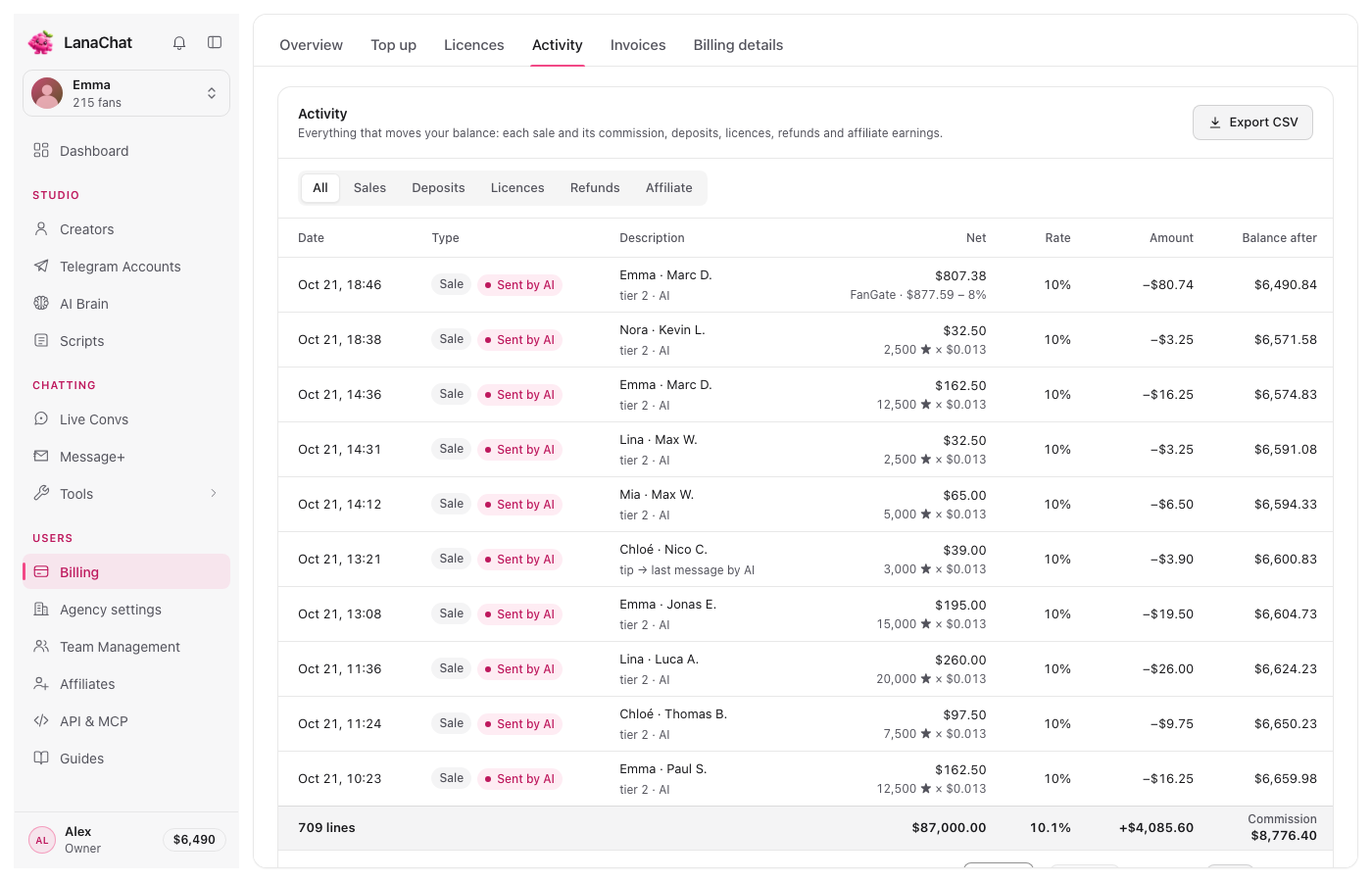
- Filter by type: All, Sales, Deposits, Licences, Refunds, Affiliate. On Sales, a second filter appears: All, Sent by AI, Sent by human.
- Columns: Date, Type, Description, Net, Rate, Amount and Balance after.
- A sale line shows the fan, the tier and who sent the offer ("tier 1 · AI"), how the net was counted ("12,500 ★ × $0.013" or "Dropp Fans · $49.00 − 10%"), the rate and the commission taken.
- The footer adds up the lines shown: net sales and commission, the same commission as on the Overview.
- Export CSV downloads the lines, to keep a copy or hand to your accountant.
- Rows per page: 10, 25 or 50, with Previous and Next.
Tip To check one creator's month, export the CSV and filter it in your spreadsheet.
Invoices #
Invoices holds your Monthly statements: one per month, numbered like LC-2026-10, with Licences, Commission, Total and a Status (Paid, In progress, Failed). Pick the year at the top.
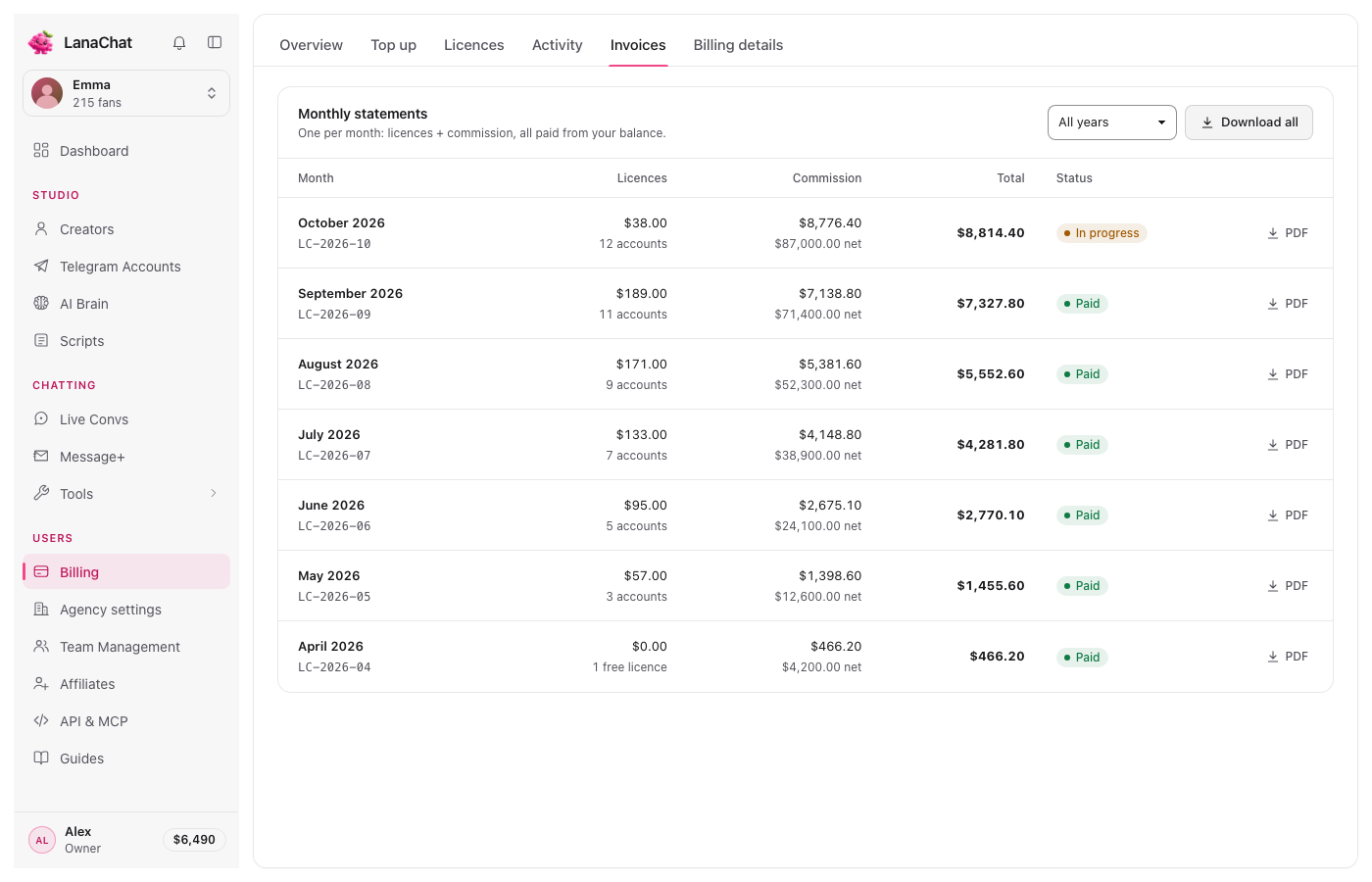
Each row has a PDF button, and Download all gets the whole year. PDF downloads are not available yet: the Console tells you so when you press them.
Warning Check your statements. A billing error must be reported within 60 days of the statement that shows it; after that, the statement is final.
Billing details #
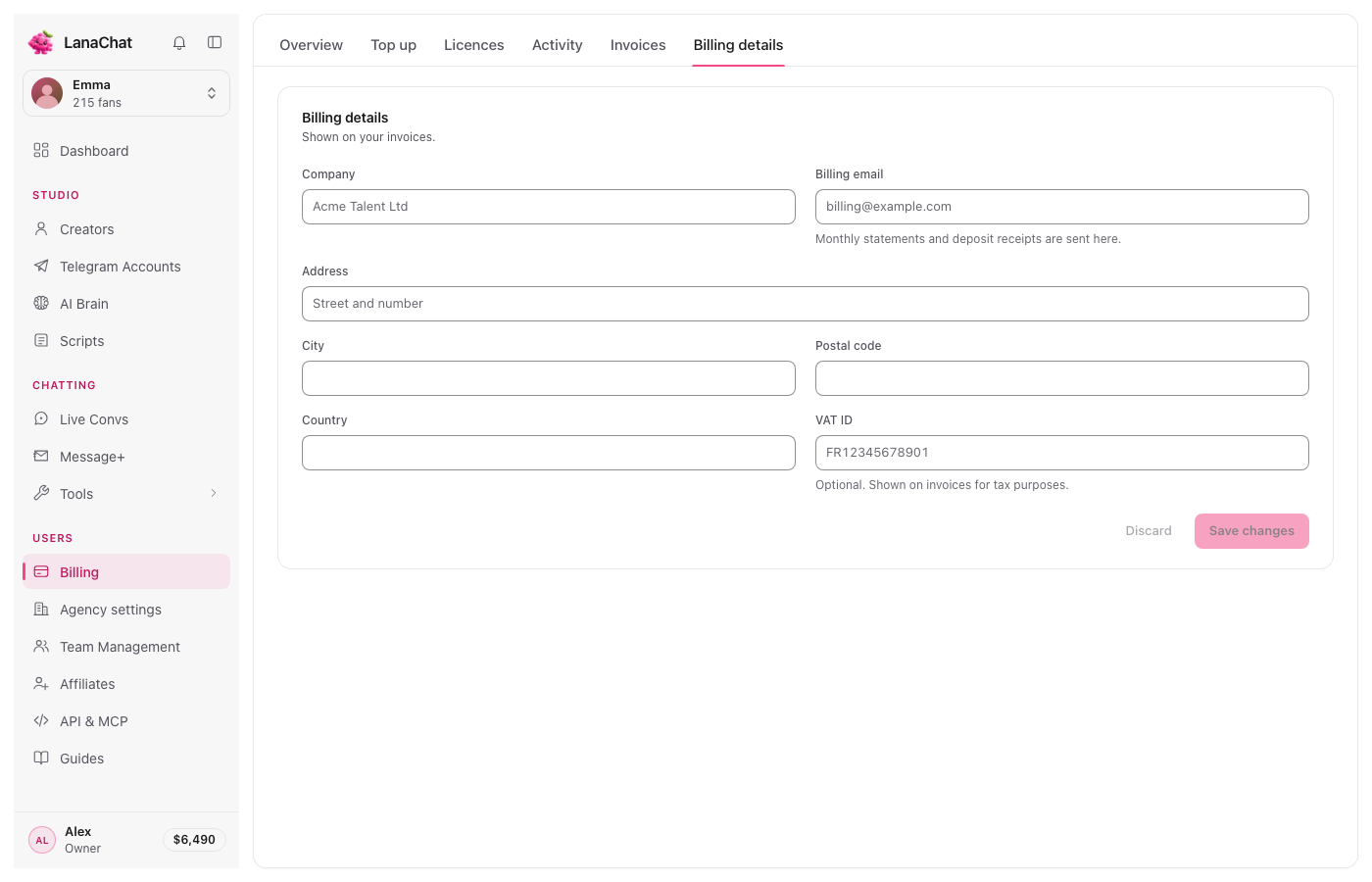
Billing details is what appears on your statements: Company, Billing email (monthly statements and deposit receipts are sent there), Address, City, Postal code, Country and VAT ID (optional).
- Fill in or change the fields.
- Press Save changes. Discard puts back what was saved. Both stay grey until you change something.
Note Prices exclude VAT, sales tax and withholding tax. Where a tax applies to LanaChat's invoice, it is added to the amount taken from your balance.