
Assign, move or take back a licence
A licence in your stock does nothing until you give it to a Telegram account. From then on, its days count down on that account (30 days for a new licence). You can move a running licence to another account, or take it back to your stock, at any time and for free: the days left always travel with it.
Everything happens in Billing, Licences tab, in the Telegram accounts table.
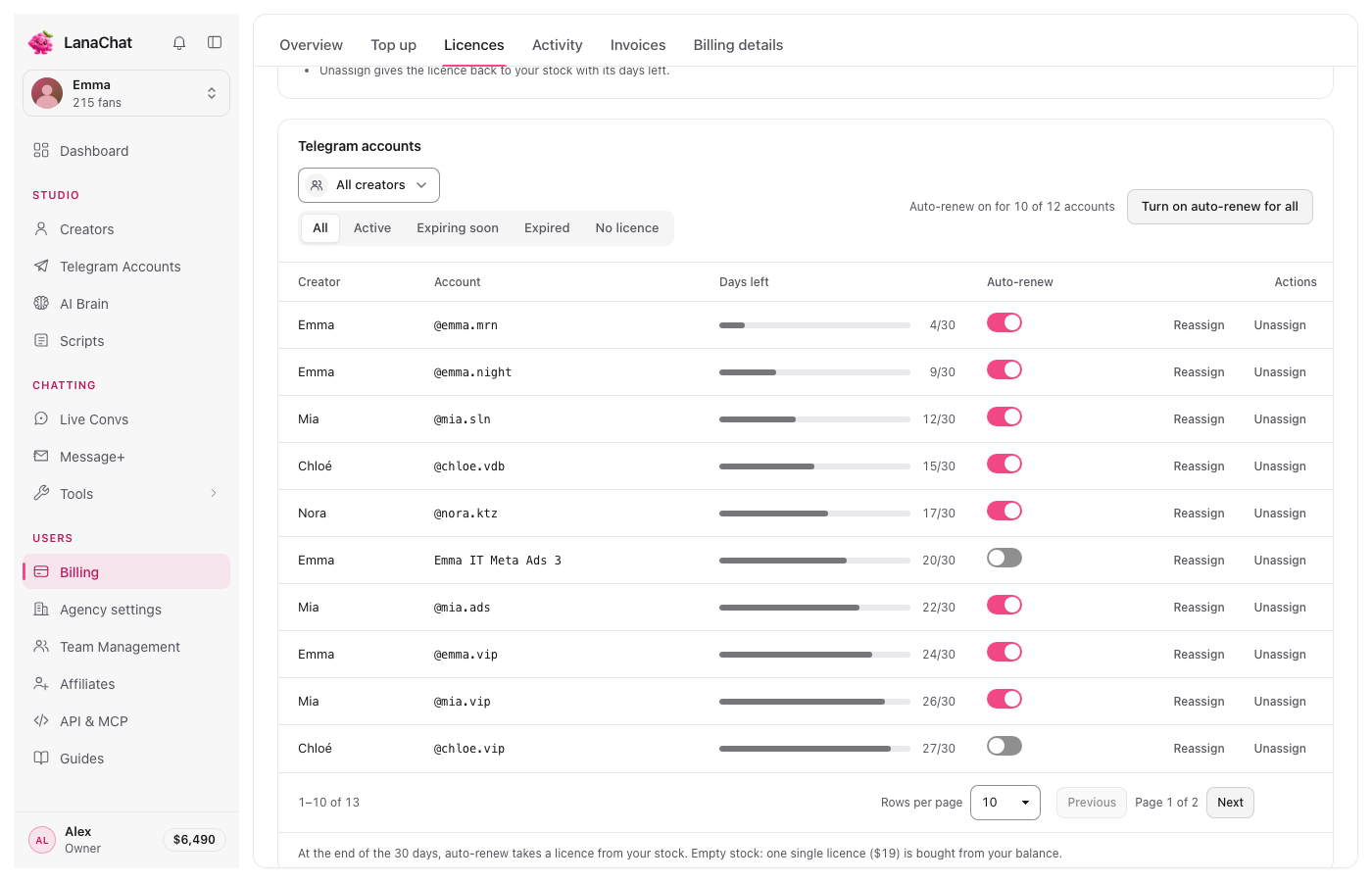
Read the table #
- Creator and Account: the creator and the Telegram account (its @ or its name).
- Days left: a bar and "N/30". It changes look in the last 3 days.
- Auto-renew: a switch per account. See Licence expiry and auto-renew.
- Actions: Assign, Reassign, Unassign or Renew, depending on the state.
Narrow the list with the Creator picker and the state switch: All, Active, Expiring soon, Expired, No licence. Choose 10, 25 or 50 rows per page at the bottom.
Give a licence to an account #
- Click No licence to see the accounts that have none.
- Press Assign on the account. A licence leaves your stock: the stock licence with the fewest days left is used first: its remaining days, or 30 days if it is new. Auto-renew is on by default; turn it off with the switch in the Auto-renew column.
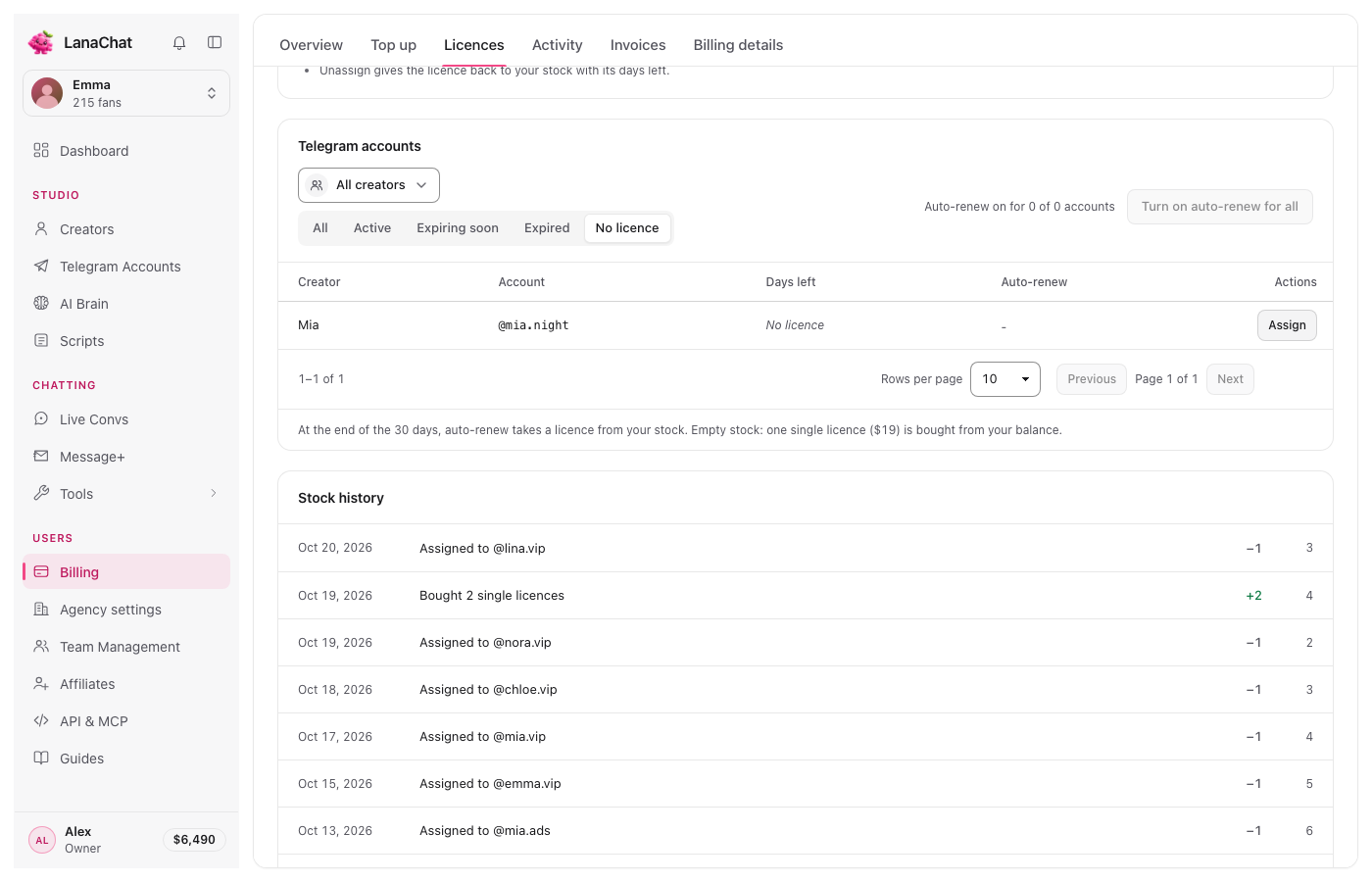
Note Assign needs a licence in stock. With an empty stock, buy licences first.
Move a licence to another account #
Useful when an account is banned, retired, or when a creator stops and another starts.
- Press Reassign on the account that has the licence.
- In Move to, pick the new account. Only accounts without a running licence are listed.
- Press Reassign.
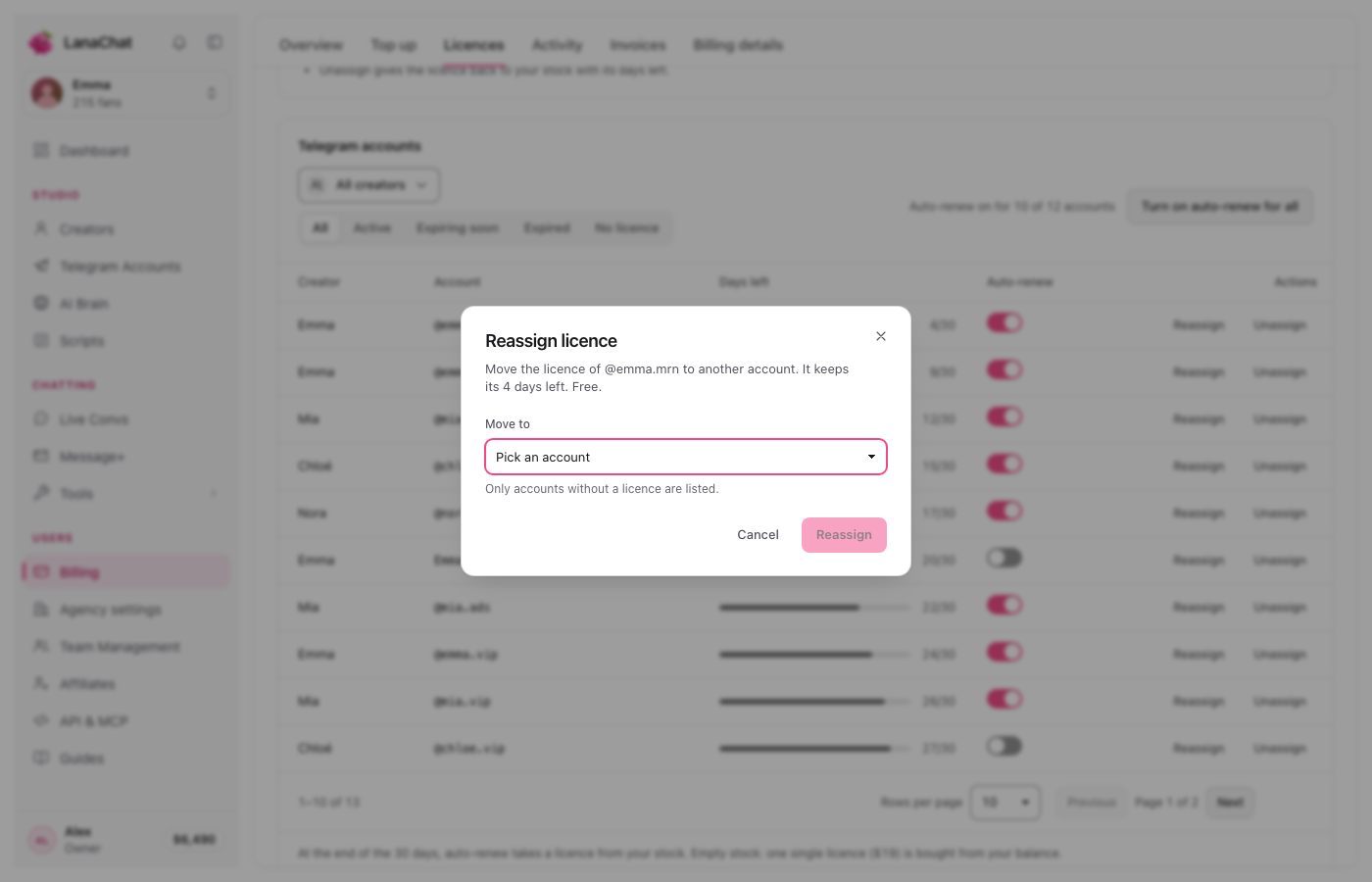
The licence keeps its days left: a licence with 4 days left gives the new account 4 days. Reassigning is free.
Take a licence back to your stock #
- Press Unassign on the account.
- Read the confirmation: "The AI stops replying on @account. The licence goes back to your stock with its N days left."
- Press Unassign (or Keep to cancel).
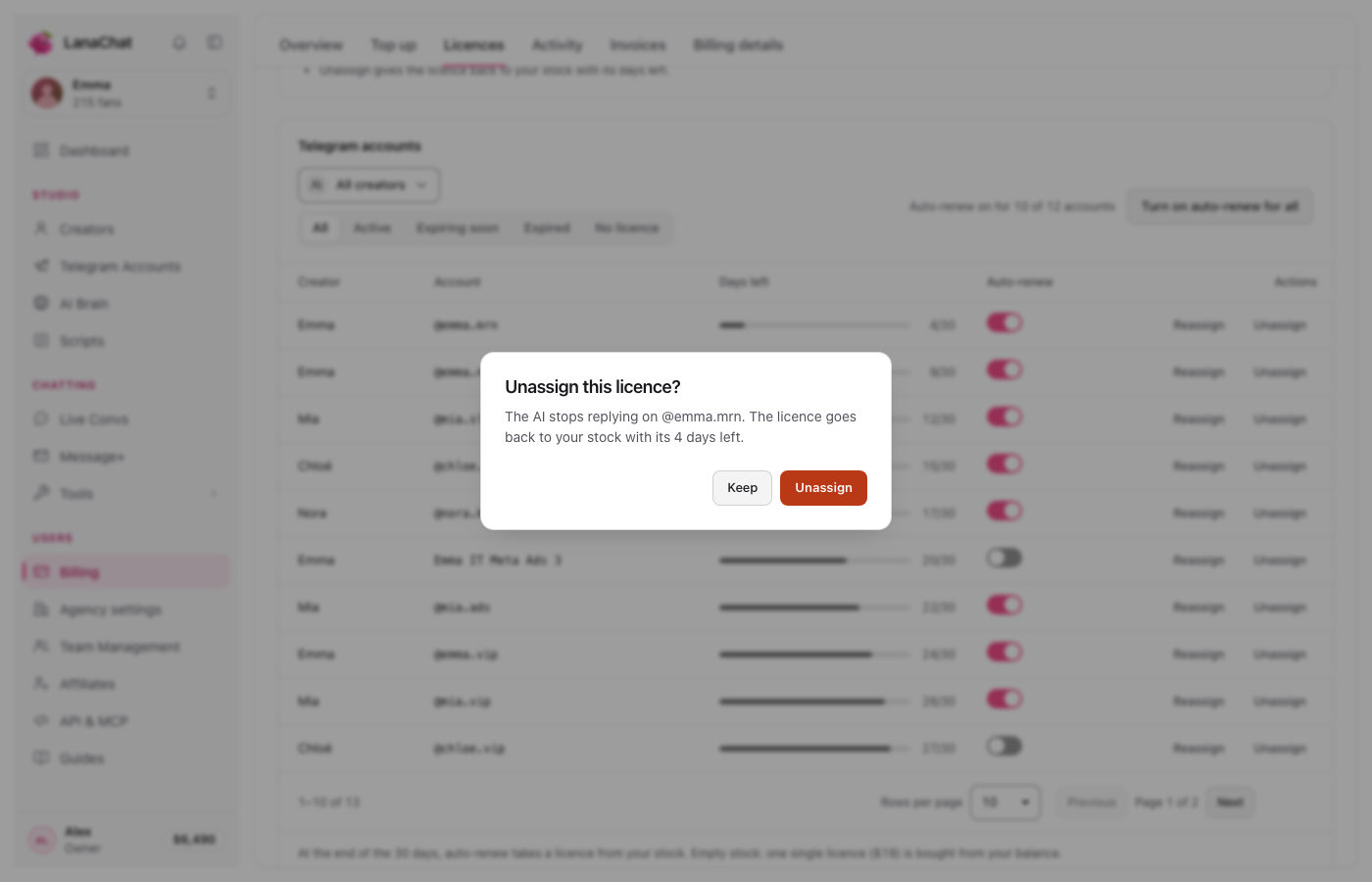
Warning Unassigning stops Lana on that account right away. Fans who write to it no longer get replies from her.
Every move is written in Stock history at the bottom of the tab: "Assigned to @account", "Moved from @a to @b", "Back from @account", with the stock after each line.
Questions #
Does moving a licence reset it to 30 days? #
No. It keeps exactly the days it had. A licence taken from the stock brings its own days: the stock licence with the fewest days left is used first: its remaining days, or 30 days if it is new.
Is there a limit to how often I can move a licence? #
No limit is shown in the Console, and moving is free.