
Create your MCP token
Owner onlyOpen in the Console
The token is the key your assistant uses to enter your workspace. You create it once in the Console. It is shown once, then never again.
Note Only the workspace owner and agency owners can open API & MCP. Everyone else sees "Owner access required".
Create it, step by step #
- In the Console, open Users › API & MCP (at the bottom of the sidebar).
- Press Create token.
- Name: write the assistant it is for, for example
Claude Code on my Mac. One token per assistant: you can then revoke one without touching the others. - Access type: keep Workspace permissions. It ticks creators, media, Telegram, employees, AI configuration and publishing, fan history and sales.
- Tick Generate Playground replies as well. The assistant needs it to test the brain before publishing. The access type switches to Custom permissions: that is expected, the other boxes stay ticked.
- Leave Read reply diagnostics and Spend the balance on licences off for now.
- Press Create token.
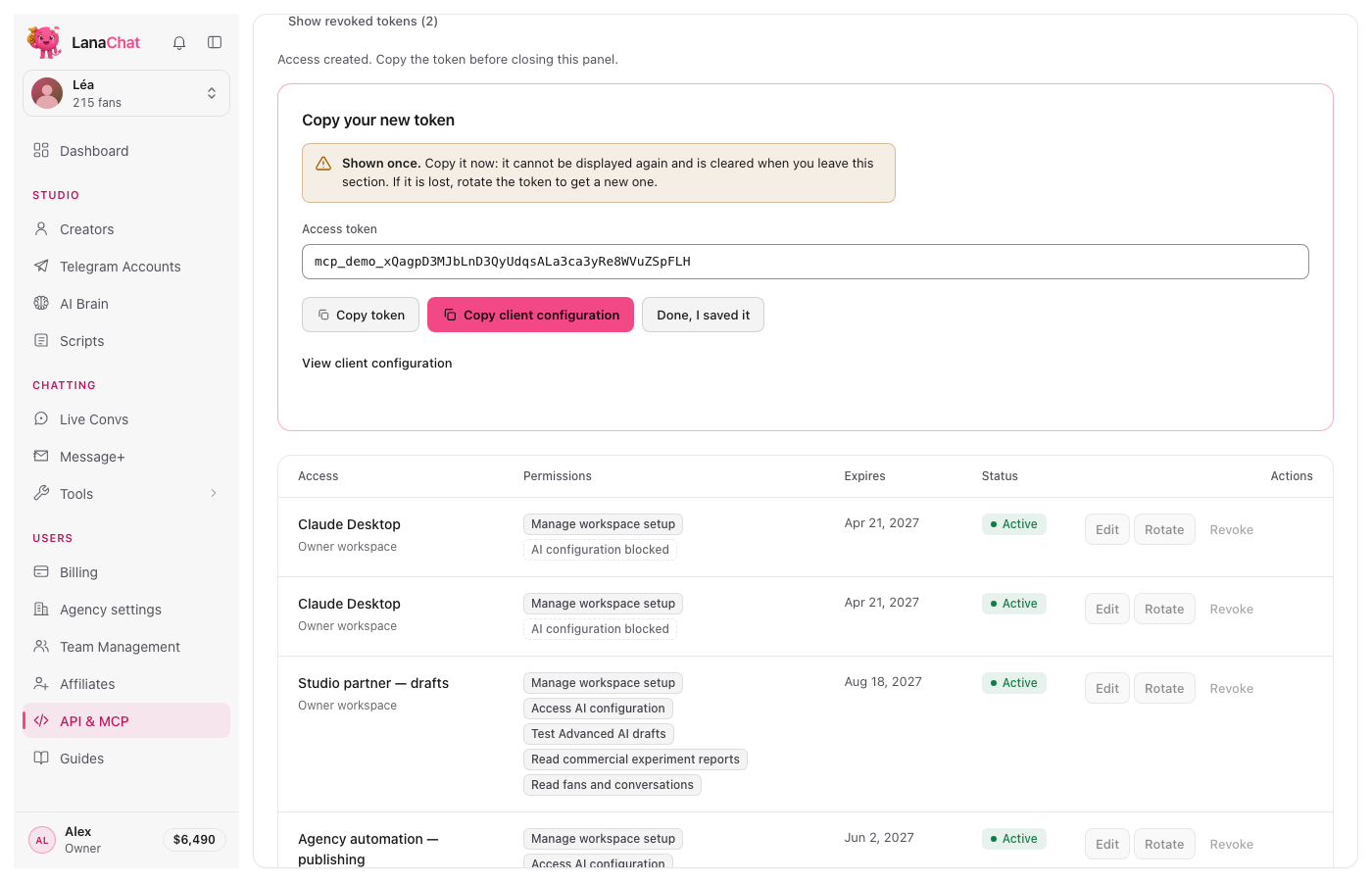
- The token appears once. Press Copy token and paste it where you will use it (next guide). Copy client configuration gives a JSON block with the address and the token; each assistant needs its own format, given in the next guides.
- Press Done, I saved it.
The boxes, in short #
| Box | Tick it for the setup? | Why |
|---|---|---|
| Manage workspace setup | Yes | creators, Vault, Telegram, team |
| Configure agency AI (Access AI configuration in the owner workspace) | Yes | brains, persona, scripts as drafts |
| Generate Playground replies | Yes | test replies before publishing (needs a positive balance) |
| Publish agency AI (Publish AI Brain drafts in the owner workspace) | Yes | create her first brain, publish and turn replies on, after your "yes" |
| Read fans and conversations | Yes | daily questions about fans |
| Import fan history | Optional | bring fans from another tool |
| Read sales | Yes | daily sales questions |
| Read reply diagnostics | No | only to debug a strange reply |
| Spend the balance on licences | No | money: keep it for yourself |
Good to know #
- The token is valid 365 days. Renew it with Rotate before it ends.
- You can change the boxes later with Edit, without changing the token. Restart the assistant afterwards so it picks up the change.
- The token is a password. Keep it out of chats, e-mails and screenshots. See Keep your token safe.
Next: connect Claude Code, Codex, or Claude Desktop, Cursor and VS Code.