
Strategy
How to run an OnlyFans agency on Telegram in 2026
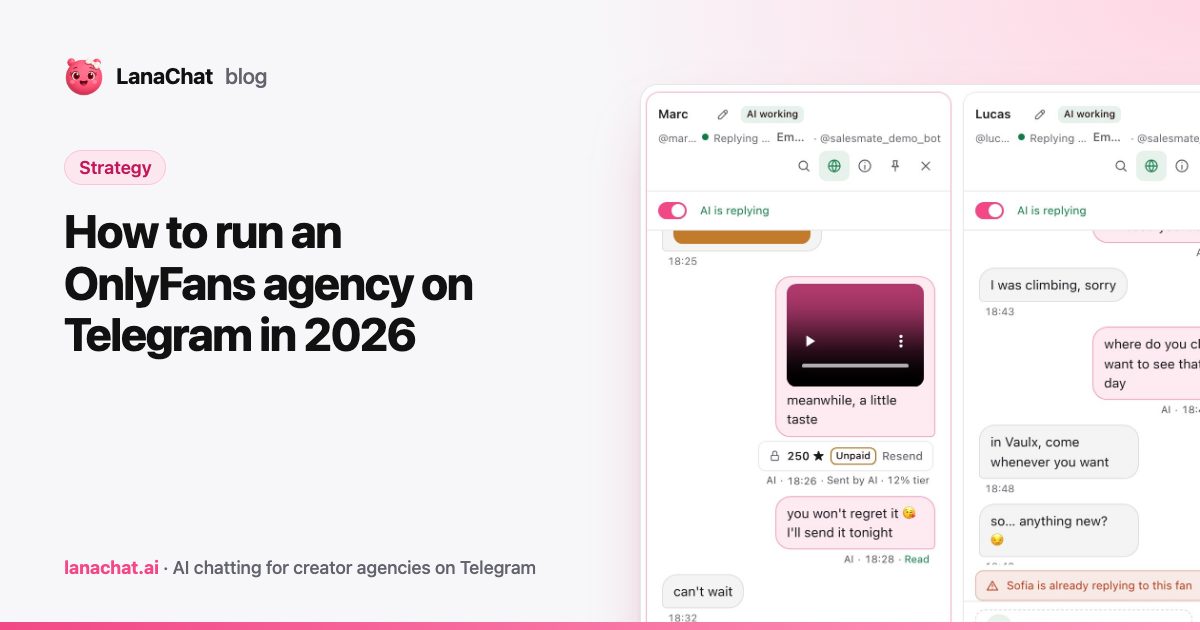
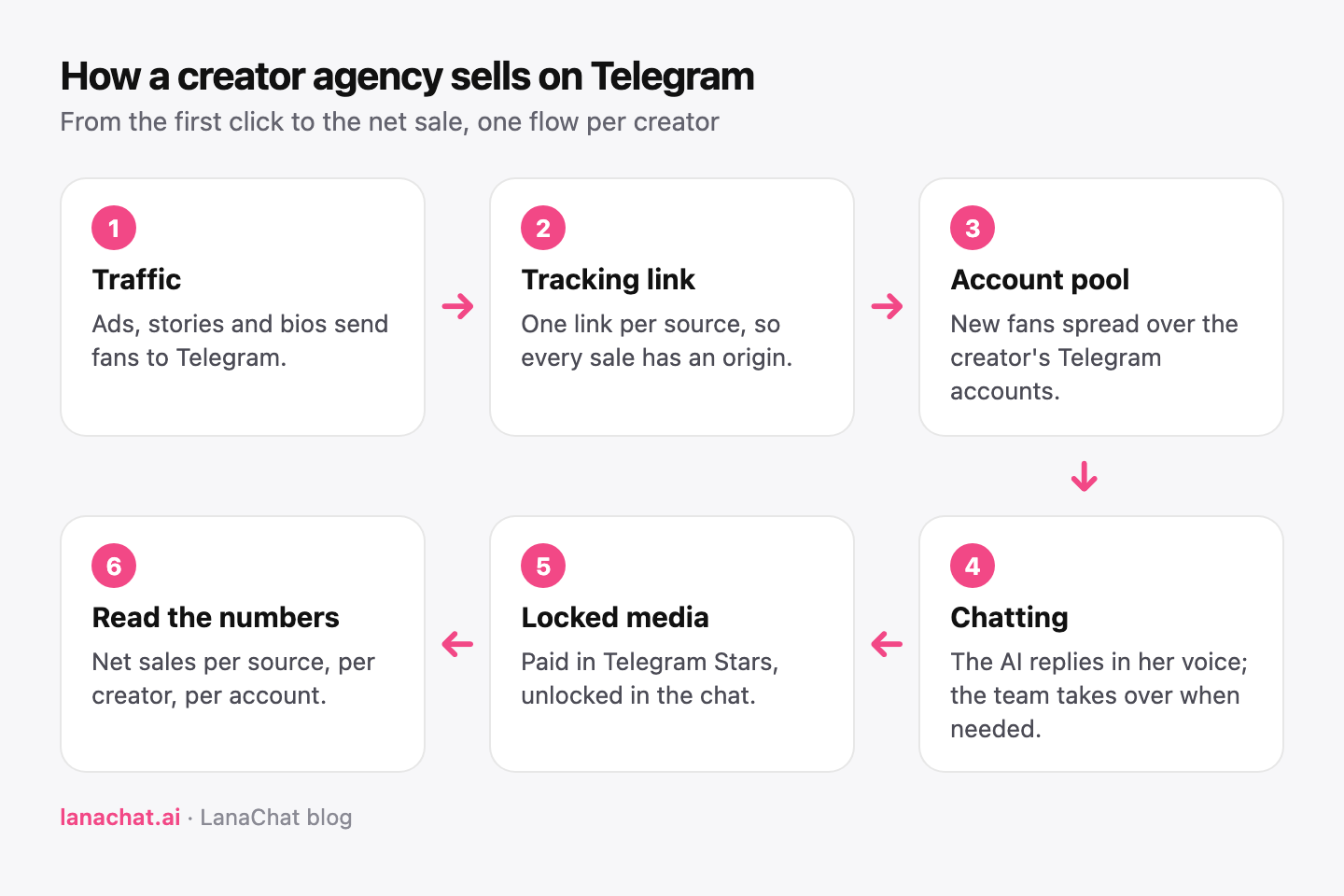
Running an OnlyFans agency on Telegram means moving the part of the job that makes the money, the private conversation with each fan, into Telegram. Fans arrive from your traffic, talk to the creator's Telegram account, and buy locked media paid in Telegram Stars without leaving the chat. The agency's work does not change: bring traffic, keep every fan talking, sell at the right price, and know which source pays.
This guide walks through the setup we see work for creator agencies in 2026, step by step, from the accounts to the numbers you read every morning.
Why are agencies adding Telegram to their stack?
Three reasons come up again and again when agencies explain the move.
- The conversation is the product. On Telegram, the fan writes to an account that feels personal, with voice notes, photos and replies at any hour. That is the same intimacy that sells on subscription platforms, in an app the fan already uses every day.
- Payment happens in the chat. Telegram sells digital goods in Stars, its in-app currency. The fan taps a blurred media, pays, and it unlocks right there. There is no checkout page where buyers drop off.
- You own the traffic map. Every fan reaches Telegram through a link you control, so you can measure which ad, story or bio brought him, and what he spent.
Step 1: connect the creator's Telegram accounts
Each creator usually runs several Telegram accounts: one per market, per language or per traffic source. A team can only reply at scale if every account is reachable from one place.
Telegram's Business features let a bot answer private chats on behalf of an account. Telegram describes this in its Telegram Business announcement: a business account can connect a chatbot that processes and answers messages for it. In LanaChat, that is how an account is connected: an @username and the token of a bot linked through Telegram's business connection. No phone number, no password and no login code are shared with anyone.
Name each account so the team can read it at a glance, for example Emma FR Meta Ads 2: creator, market, traffic source, number. The Telegram accounts feature lists every account with its status, its language and the AI Brain it uses, and the step-by-step connection guide covers the BotFather part.
Step 2: give every traffic source its own link
If ten ads all point to the same @username, you know how many fans arrived, not which ad paid for itself.
The fix is one tracking link per source: one per ad set, one per story, one for the bio. A click on the link opens the conversation, and every later purchase from that fan is attributed back to the link he first clicked. If you buy ads, connect your Meta, TikTok, Snap or Google Ads pixel to the link so the ad platform learns from real conversations and purchases. Our tracking links feature does this per creator, on your own subdomain.
When a creator has several accounts, point the link to a pool instead of a single account. New fans then spread over the accounts of the pool, so no account takes every new conversation of a big campaign. We explain the idea in what a pool is and why your links need one.
Step 3: decide who answers, and when
On Telegram, fans write at any hour, often late at night in their own time zone. An agency has three ways to cover that.
- Human chatters only. Shifts around the clock, a manager per team, and a quality gap between your best and your newest chatter.
- AI only. Every fan gets an answer in seconds, in the creator's voice and language, at the same quality at 3 AM as at noon.
- AI first, humans on the conversations that matter. The AI handles every chat; your chatters read along and take over a big spender, a delicate fan or a custom request.
In our experience, the third option works best. In LanaChat the AI is Lana: she replies in each creator's voice, sells at the prices you set and never gives discounts, and any teammate can take over a conversation in one click from Live Convs. We compare both sides in detail in AI chatter vs human chatters.
Step 4: write the scripts once
Your best chatter has a sequence that works: a warm opener, a free teaser, a first paid media at an entry price, then a premium one for the fans who bought. Write it down as a script, with the media and the price of each step, so it stops depending on who is on shift.
A good library for one creator starts small:
- a first-purchase script for new fans, with a low entry price
- a night script for late conversations
- a follow-up script for fans who went quiet after two days
- a VIP script for fans who already bought several times
Scripts run the same way whether the AI or a chatter sends them, and you can see which one brings the most sales. Our post on follow-up scripts that reopen silent fans gives five you can adapt.
Step 5: price locked media in Stars
Every photo, video and voice note the creator can sell goes into a vault with a price in Telegram Stars and a short description, so the right media goes out at the right moment. Set prices as a ladder (entry, mid-range, premium) rather than one flat price, and keep the same price for the same media across chatters. Telegram's own documentation on payments for digital goods explains that sales of digital goods inside Telegram are made in Stars.
How a Star converts into dollars, and how withdrawals work, is set by Telegram and changes over time. Read Telegram Stars explained for creator agencies before you build your price list.
Step 6: set up the team
Even with an AI on every chat, an agency needs people: a manager per creator, chatters who take over, someone who uploads media and writes scripts. Give each person a role that shows only the creators and tools they work on. A chatter does not need billing, and a media editor does not need to read conversations.
Step 7: read the numbers every morning
Five numbers tell you whether the Telegram side of the agency is healthy:
- New conversations per source: is the traffic arriving?
- Paying fans: the share of active fans who bought at least once.
- Net sales: what is left after Telegram's share and refunds, per creator and per account.
- First reply time: how long a new fan waits for an answer.
- Sales per script: which sequences sell and which ones to rewrite.
If one source brings many conversations and few buyers, fix the ad or the opener. If replies are slow at night, that is the hour the AI should own.
What does it cost to run the Telegram side?
Your costs are the traffic, the team, and the tools. LanaChat costs $19 per Telegram account per month, with packs of 10, 25 and 50 accounts for less, plus a commission on net sales: 12% of AI sales up to $30,000 of monthly net sales in the workspace, 10% up to $100,000, 8% above, and 4%, 3% and 2% for sales your team sends by hand. The full breakdown is on our pricing page.
FAQ
Do I need Telegram Premium to connect a bot to an account?
No. The bot works through the Business chatbot settings in the Telegram app. Our connection guide lists every step.
Can one creator have several Telegram accounts?
Yes. Agencies usually run one account per market or traffic source, and group them in a pool so new fans spread across them.
Will the AI sell at a lower price to close a sale?
No. Lana sells at the price set on the media or on the script step, and never gives discounts.
Can my chatters still work on Telegram conversations?
Yes. Every conversation is live in the console. A chatter takes over in one click, and the AI pauses for that fan until the conversation is handed back.
How do I know which ad brought a sale?
Give each ad its own tracking link. Sales are attributed to the first link the fan clicked, with verified Telegram Stars purchases.