
Operations
Manage multiple Telegram accounts from one console
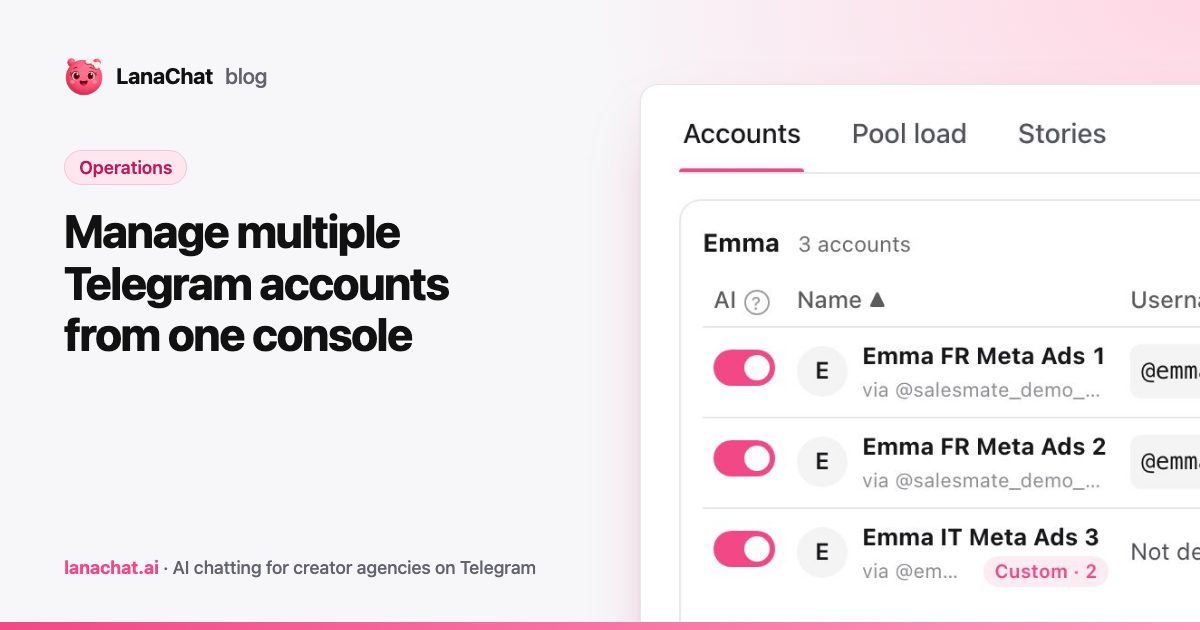
To manage multiple Telegram accounts without chaos, you need three things: a naming habit, one place to see the state of every account, and pools that spread new conversations for you. In LanaChat, every account of every creator lives in one console, with its status, its load and its AI switch on the same row.
This article is about the daily work once you have more than a handful of accounts. If you want the idea behind pools first, read what a pool is. Here we cover what the work looks like on a normal Tuesday.
Why does one creator end up with many Telegram accounts?
A single account is a single point of failure. It can be slowed down when too many new fans write at once. It can speak one language only. It cannot serve three traffic sources without mixing them up.
So agencies add accounts. One per market, one per traffic source, a few spares. At ten accounts this is manageable in your head. At thirty it is not, unless the tool does the bookkeeping.
How do you connect an account without anyone's password?
LanaChat answers fans through a bot that Telegram's Business chatbot feature attaches to the account. That link is called a business connection. You never give a phone number, a password or a login code. The creator keeps her account.
The steps are the same every time:
- Open Studio > Telegram Accounts and press Add account.
- Pick the creator (or create her on the spot).
- Name the account. Only the name is required. Market and traffic source can come later.
- Create the bot in BotFather, turn on Secretary Mode, and paste the bot token. The token is checked, then never shown again.
- On the Telegram account, open Telegram Business, Chat Automation, add the bot and allow it to manage messages.
The row appears at once as Waiting for Telegram and switches to Connected by itself. The Telegram Accounts feature page shows the whole flow.
What should you put in the account name?
Names are what you will search and filter by, so make them boring and consistent. A good pattern is creator, market, traffic source, number. For example: "Julia IT Meta Ads 5".
Two fields do more work than the name:
- Market. It decides the reply language of the account, unless you override it.
- Traffic source. Together with the market, it decides which pool the account joins.
Set both as soon as you know them. Until you do, the row shows Not set and the account is in no pool.
How do pools work day to day?
You do not build pools by hand. A pool forms on its own from the market and traffic source of your active accounts, and a tracking link serves the pool of the account it points at. New conversations are then spread across the accounts in that pool.
What you do is watch the load. The Pool load tab (see the Telegram Accounts guide) is read-only and shows two views:
- Load this hour: one bar per account, with messages this hour against a ceiling of 2,000. A bar turns amber from 80 % (the account is slowed) and red from 95 % (paused until the next hour).
- Load history: one line per account over 24 hours or 7 days. Filter by traffic or market and hover a point to read each account's load.
Each creator also gets a card showing every pool and the traffic share of each account. A section called Pages serving a single account lists tracking pages that point at an account in no pool. Check it after a campaign launch. Those are the links with no safety net.
The practical rule: if one account sits in amber every evening, add another account to that pool before you raise your ad spend.
How do you keep accounts distinct without rewriting the persona?
Every account of a creator shares her AI Brain, but each conversation history stays separate. That means one persona to maintain, not thirty.
When an account needs to fit its market a little better, you can customize four things for that account only: Hobbies, Punctuation, Reply language and City. The creator value stays visible as Creator default, and switching the override off brings it back. The list shows how many blocks are customized on each account.
One catch: City cannot be customized while location mirroring is on for the creator, because the city then follows each fan.
What can you do from the Stories tab?
Stories are a quiet way to keep many accounts alive and visible. Pick a creator, tick the accounts, choose a photo or video (upload one or take it from the Vault), add text and an optional link sticker, then post now or schedule it. Scheduled stories can be edited or canceled until they go out.
An account without the Stories permission is greyed out. Allow it in that account's Chat Automation settings in Telegram.
How do you pause, fix or remove an account?
Each row has a menu with the actions you need:
- Pause and Resume AI replies switch the AI off or on for that account only.
- Reconnect fixes most connection issues. The reason is written under the status chip, for example that the reply permission is off in Telegram.
- Finish connecting brings back the last step for an account that is still waiting.
- Remove stops LanaChat from answering on the account. The Telegram account is not deleted, and the bot, the fans and the history are kept. Removed accounts come back with Restore.
What does it cost to run 30 accounts?
Each Telegram account needs a licence: $19 per account for 30 days. Packs bring the price down: 10 for $170, 25 for $375, 50 for $650. Licences wait in your stock and never expire, and moving one to another account keeps the days left.
Thirty accounts could be one pack of 25 plus five single licences, which is $470 for the month. On top of licences, there is a commission on net sales only (after Telegram's share and refunds). There is no per-seat fee, so adding chatters does not change the bill.
You pay from a prepaid balance in USDT or USDC, with a minimum top-up of $25. When the balance runs out, the AI pauses until you top up.
When is this the wrong setup?
Be honest with yourself about scale. If one creator gets a few new fans a day, one account is enough, and a pool adds nothing. More accounts also means more things to keep named, tagged and checked. The console helps, but it does not replace the habit.
LanaChat is in private beta, and agencies are onboarded in waves. You can follow the next wave in our Telegram channel.
FAQ
Do I need the creator's phone number or password?
No. You connect each account through a bot and Telegram's own business connection. LanaChat never asks for a phone number, a password or a login code.
How many Telegram accounts can one creator have?
The guides do not set a limit per creator. Your practical limit is how many licences you buy and how well you keep the accounts named and tagged.
What happens if one account has a problem?
Its row shows a status and a reason. Pause it or reconnect it. Other accounts in the pool keep receiving new conversations, so the link does not stop working.
Can one bot run several accounts?
Yes. A bot can be shared by several accounts of the same creator, and then the Stars of those accounts land on the same bot balance. By default each account gets a bot of its own.