
Operations
Telegram fan management: VIP lists and segments for agencies
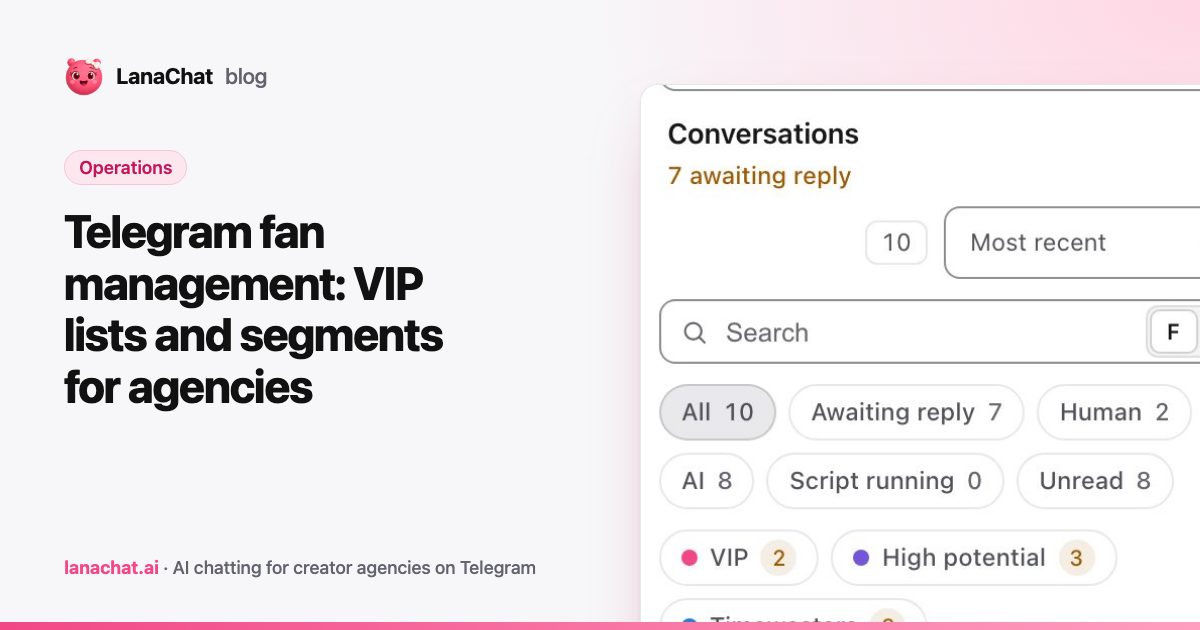
Telegram fan management is how an agency keeps track of thousands of fans across its creators: who spends, who is new, who went quiet, and who the AI must not talk to. The core tool is the fan list, a group of fans built by hand or by rules such as total spent above an amount, that you then use to filter conversations and to target messages. Done well, it lets a small team give the right attention to the right fans every day.
This post explains which lists an agency needs, how to build them with rules that update themselves, and what to do with each one.
Why do agencies need fan lists on Telegram?
Telegram gives each account a chat list, sorted by the last message. That works for one person with a few dozen chats. It does not work for an agency with several creators, several accounts per creator, and fans writing at every hour.
Without lists, the team treats every fan the same. The fan who has bought ten times waits behind a fan who has never bought anything. A mass message about a new set goes to everyone, including the fan who bought it yesterday. And nobody notices that a good buyer has not written in two weeks.
Lists fix this by answering one question per group: what should we do with these fans?
Which fan lists should an agency start with?
A short set of lists covers most of the work. These are the ones we see agencies build first:
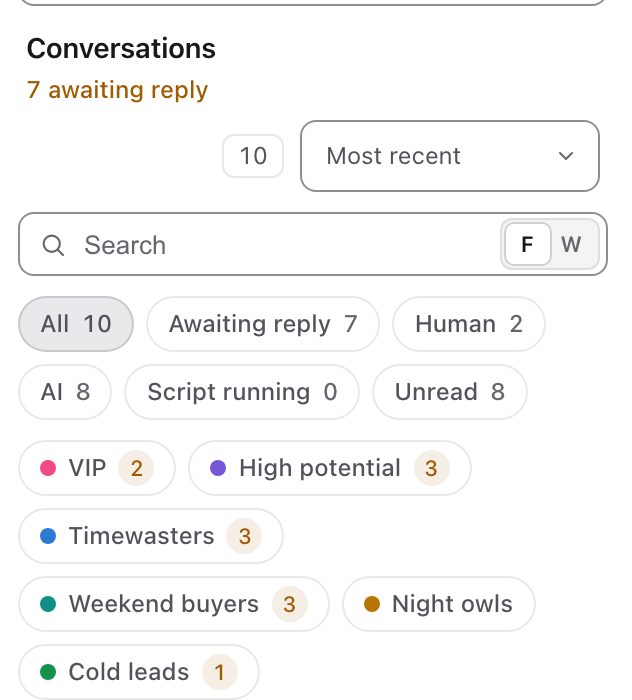
- VIP: fans who have spent the most. They get the fastest replies, the most personal attention and first access to new media.
- High potential: fans who talk a lot and have bought once or twice. They are one good conversation away from becoming VIPs.
- Weekend buyers or Night owls: fans who buy at a specific time. Useful for scheduling sends.
- Cold leads: fans who stopped writing. They need a follow-up, not a sales pitch.
- Timewasters: fans who chat a lot and never buy. They still get answers, but your best chatters spend their time elsewhere.
Start with three or four. A list nobody uses is noise in the filters.
How do you build lists that update themselves?
A list you fill by hand is out of date by the end of the week. The better way is rules. A fan joins the list when he matches the conditions, and leaves it (or stays, your choice) when he no longer does.
Marketers have used this idea for a long time under the name RFM analysis: sort customers by recency (when did they last buy), frequency (how often) and monetary value (how much). You do not need the full method. Two or three conditions per list are enough:
- VIP: total spent above an amount you choose.
- High potential: total spent above zero, and a recent last message.
- Cold leads: no message for a number of days you choose.
For each list you also choose whether a fan must match all conditions or any condition, and what happens when a fan stops matching: remove him, or keep him. Keeping is useful for VIPs (a big spender who pauses for a month is still a VIP); removing is right for lists like Cold leads, which should empty as fans come back.
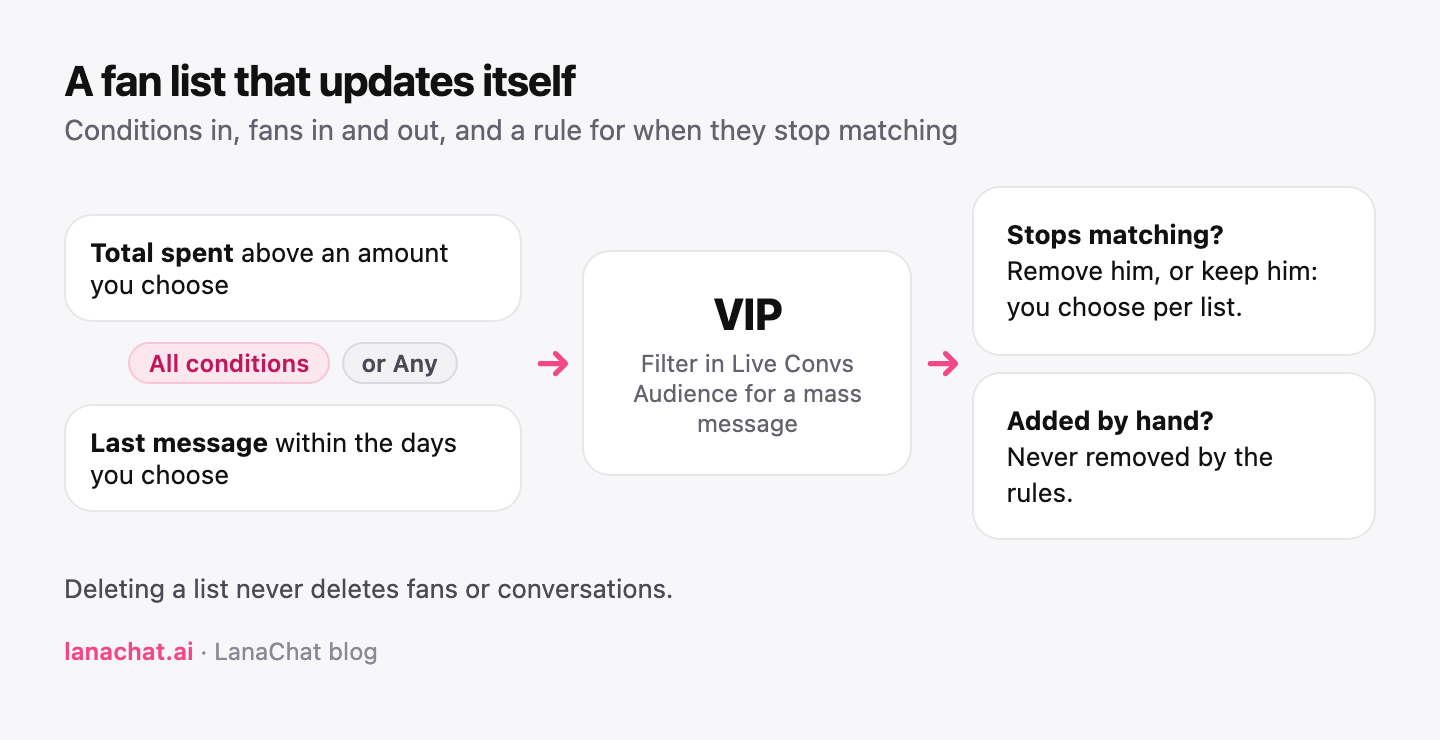
In LanaChat, you create a list with New list, add fans by hand, or turn on Add fans automatically and set the conditions. Fans added by hand, or added by the AI Brain, are never removed by the rules. The fans guide covers each option step by step.
What do you do with each list?
A list is only worth something if it changes what the team does. Three uses come back every day.
Filter the inbox. In Live Convs, each list appears as a filter next to the conversations, with its count. A chatter starting a shift opens VIP first, then High potential, then the rest. See the Live Convs feature for how the fan profile, lists and spend sit next to each chat.
Target a message. A list can be the audience of a mass message: a new set for VIPs only, a light hello for Cold leads, a late-night message for Night owls. Fans who replied stop receiving the rest of the sequence. Our Message+ feature explains the audience count before each send.
Work with the AI. An AI Brain can use your lists, and can add fans to a list itself. A list still used by an AI Brain cannot be deleted, so nothing breaks by accident. Deleting a list never deletes fans or conversations.
What do fan statuses tell you?
Lists are groups you design. Statuses are different: they tell you why the AI is or is not talking to a fan, and they are part of fan management too.
- OFF: the AI stopped for a serious reason, such as Underage, Crisis or distress, Coercion, Illegal request, or Asked to stop. Do not restart the conversation. An underage fan is never sold to, by anyone.
- Review: something needs a human look, for example Age unclear.
- Paused or Awaiting staff: a person is in charge of the conversation.
- OFF · Converted or OFF · Lost: the conversation reached its end.
Check the Review statuses every day. They are the conversations where a quick human decision protects the creator and the agency.
How often should you review your lists?
In our experience, once a week is enough:
- Check the thresholds. If your VIP list holds half of all fans, the bar is too low.
- Look at Cold leads. If it keeps growing, your follow-ups need work. Our post on follow-up scripts that reopen silent fans can help.
- Delete lists nobody uses. Fewer, sharper lists make the filters faster to read.
FAQ
What is a fan list in a Telegram CRM?
A group of fans you name, such as VIP or Cold leads, filled by hand or by rules. You use it to filter conversations and to target messages.
Can fans join a list automatically?
Yes. Turn on automatic rules, set conditions such as total spent above an amount, and choose whether a fan must match all conditions or any of them.
What happens when a fan no longer matches a rule?
You choose: remove him from the list, or keep him. Fans added by hand are never removed by the rules.
Does deleting a list delete fans?
No. Deleting a list never deletes fans or conversations. A list still used by an AI Brain cannot be deleted.
Should I restart the AI on a fan marked OFF?
No. An OFF status means the AI stopped for a good reason, such as an underage fan or a request to stop.